Dryline VMS · vending management

The vending spreadsheet, retired.

Dryline VMS puts every machine on one screen. See each slot, fill it by scanning a barcode, and add card payments to your MDB-capable machines with Rain Pay — all on the same MonsoonOS platform that runs your wash.

Dryline VMSA Cactus Wash Systems product
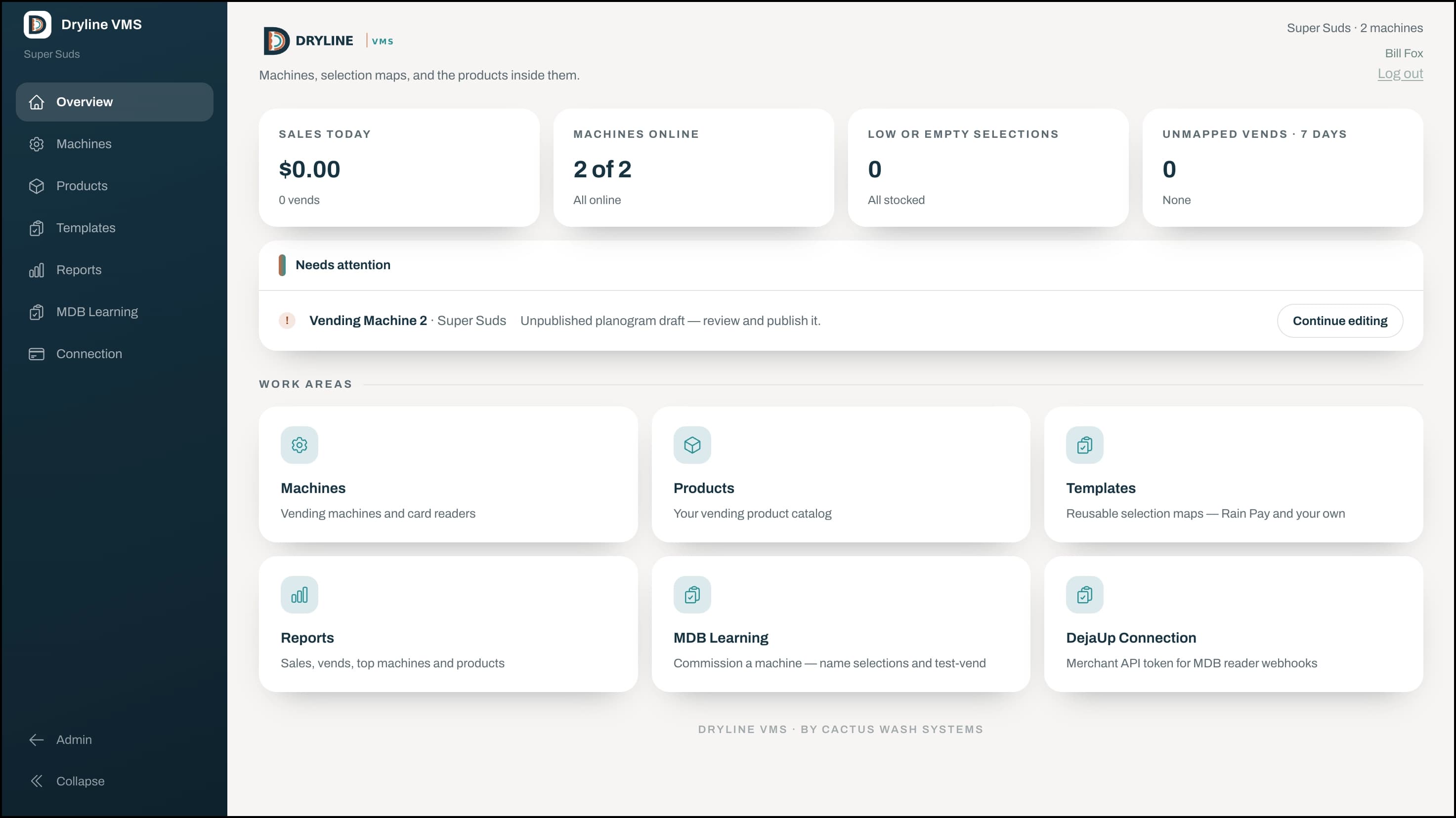
Dryline VMS overview dashboard showing sales today, machines online, low and empty selections, and shortcuts to the day’s work
See the machine, not a spreadsheet

Every slot, at a glance.

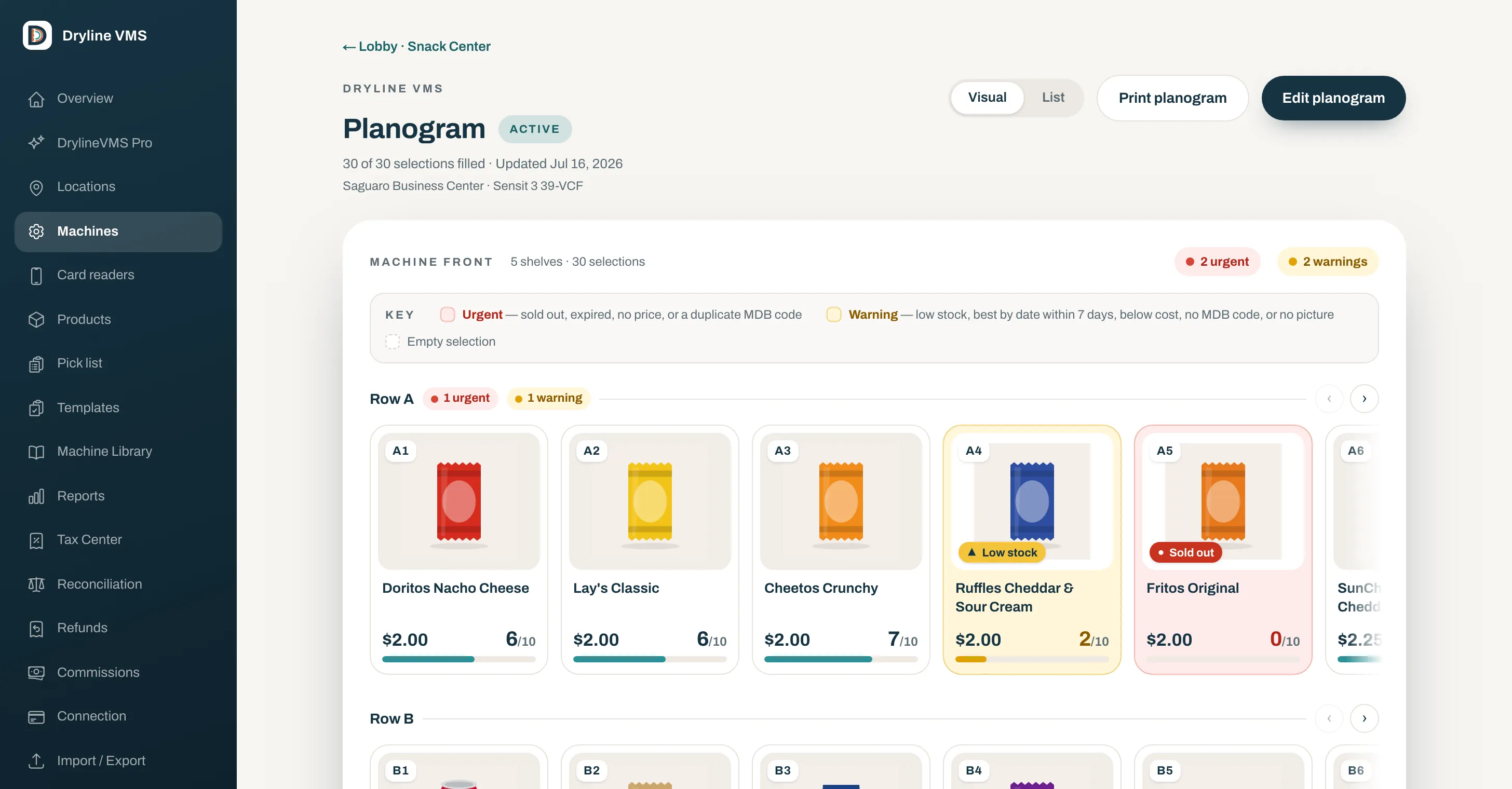
You see the real machine front, not a list of numbers. Every slot shows its product, price, and how full it is. Low and empty slots turn copper, and anything missing a price or a barcode gets flagged before it costs you a sale.
  • Product, price, and fill on every slot
  • Low and empty stock flagged in copper
  • Missing price or barcode caught early
  • One tap to edit any slot
Dryline VMS visual planogram — each slot on the real machine front shows its product, price, and how full it is
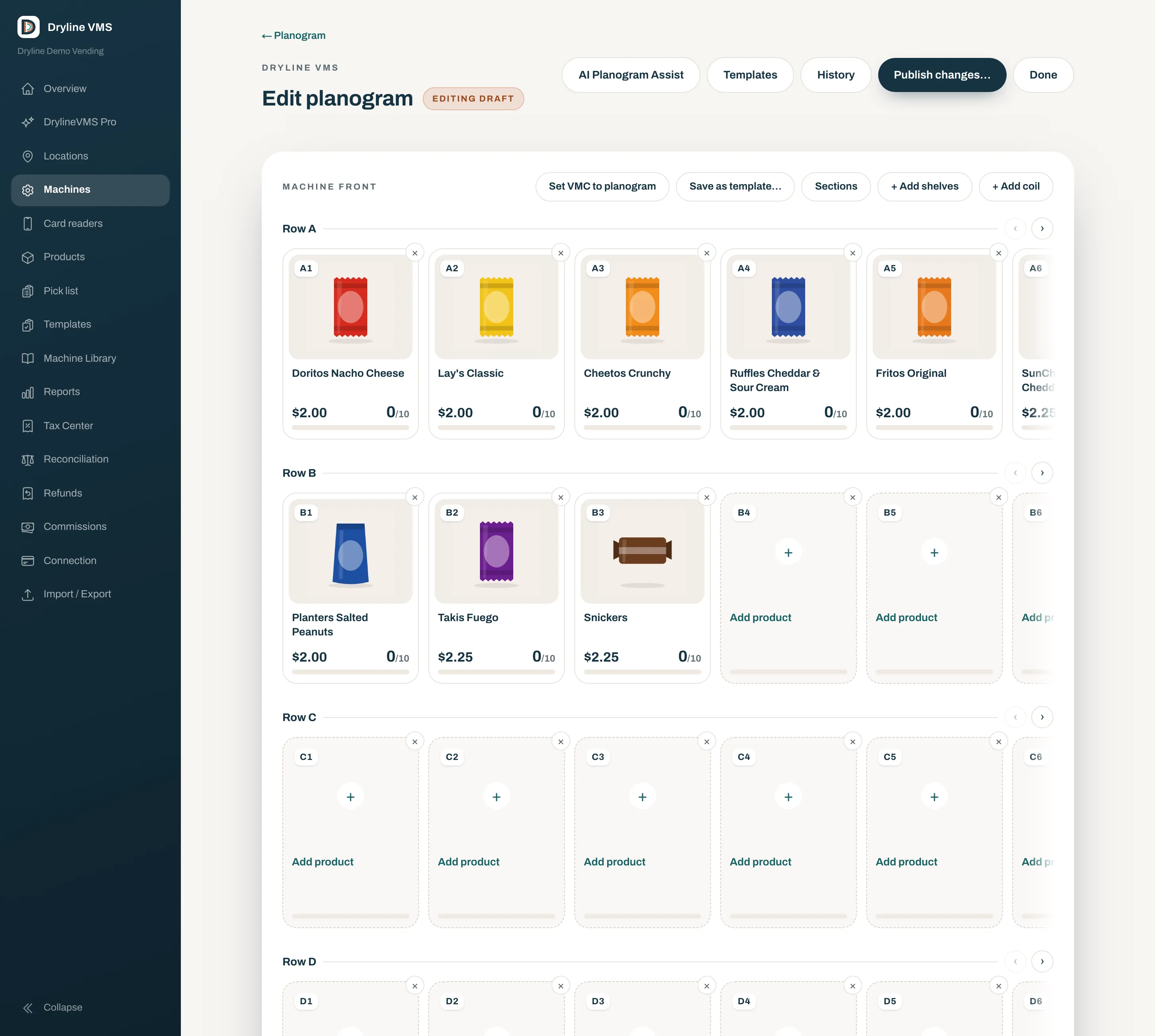
Dryline VMS planogram editor — an empty selection grid where scanning a barcode fills each slot, with template, history, and publish controls
Set up in minutes

Point, scan, and the slot fills itself.

Build a machine’s whole layout by scanning barcodes — each product drops straight into the slot. Save a layout as a template and reuse it across machines. Every change shows in plain English before it’s live, and you can roll back to any earlier version.

  • Scan a barcode to fill a slot
  • Save and reuse layouts as templates
  • Plain-English review before it’s live
  • Roll back to any earlier setup
Know what’s selling

Restocks stop being guesswork.

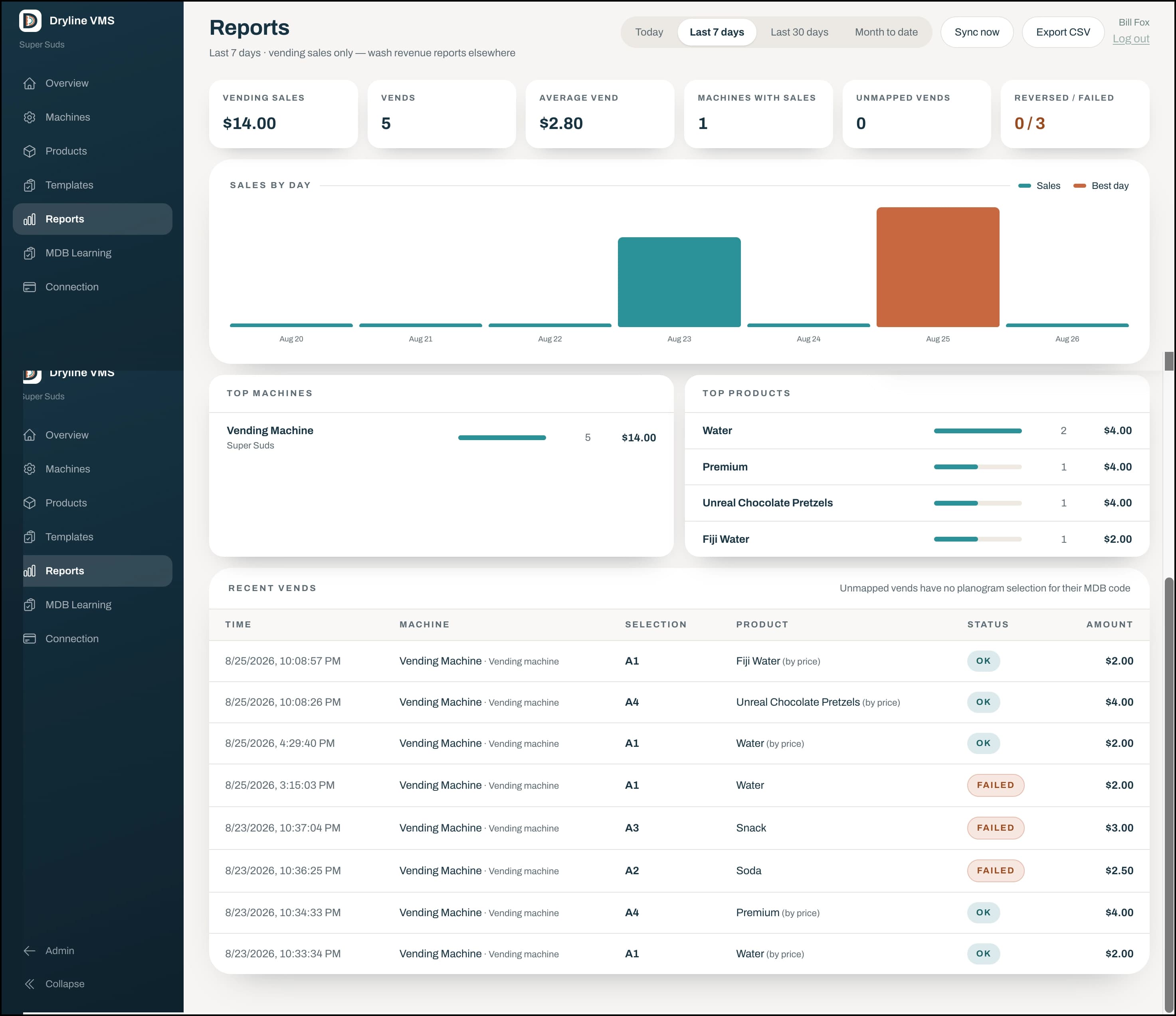
Every card vend is tied to the real product behind the slot, so your top sellers, slow movers, and busiest machines are just there — today, last 7, or last 30 days. Export any period to CSV when you need the numbers elsewhere.

  • Sales, vends, and average vend at a glance
  • Top machines and top products, ranked
  • Every vend tied to a real product
  • Export any period to CSV
Dryline VMS reports — vending sales, vends, average vend, sales by day, and top machines and products
Rain Pay · rolling out now

Cards on your MDB machines.

Rain Pay is an MDB cashless reader for unattended machines. If a machine is MDB-capable, it adds tap, chip, and swipe alongside the coin and bill acceptors already on it — and the same reader can run your car wash. Wash, vending, and tips all settle on one ledger.

Rain Pay connects over MDB, so the machine needs an MDB port already — there’s no retrofit kit for machines without one. We confirm fit before quoting.

Rain Pay · at the machine

Add cashless to your MDB machines.

  • Tap, chip, or swipe on any MDB-capable machine
  • Runs alongside the coin and bill acceptors already on it
  • Every card vend tied to the real product behind the slot
  • The same reader runs your self-serve car wash
One platform · one ledger

Vending, wash, and tips together.

  • Runs on the same MonsoonOS platform as your wash
  • One login for machines, customers, employees, and reports
  • One set of books — no second app, no second bill
  • Turn vending on for a wash already on the platform
Explore the platform
Why operators switch

A simpler way to run unattended vending.

See it, don’t decode it

Every slot shows its product, price, and how full it is on the real machine front. Edit it with a tap, not by hunting through a list of numbers.

Fill it by scanning

Point your phone at a barcode and the product drops into the slot. Set up a whole machine in a couple of minutes and reuse layouts as templates.

No surprises before it’s live

See every change in plain English before you publish it, and roll back to an earlier setup any time. Nothing goes out that you did not read first.

Know what’s selling

An honest running count for every machine, with each card vend tied to the real product, so top sellers and slow movers are just there — not guessed at.

Cards on MDB machines

If a machine is MDB-capable, Rain Pay adds tap, chip, and swipe alongside its coin and bill acceptors. The same reader can run your car wash, too.

Learn more

All in one place

Your wash, your vending, and your tips live under one login and one set of books — on the same MonsoonOS platform. No second app, no second bill.

Learn more
Getting set up

From coin box to card taps.

  1. 1

    Add a Rain Pay reader

    A Rain Pay reader connects to each MDB-capable machine over its MDB port, adding tap, chip, and swipe alongside the coin and bill acceptors already on it.

  2. 2

    Scan the machine in

    Point your phone at each product’s barcode to fill the slots. Save the finished layout as a template and reuse it across machines.

  3. 3

    Run it from MonsoonOS

    Prices, planograms, and reports live in the same admin as your wash. Every card vend lands on one ledger, tied to a real product.

Dryline VMS

See the full Dryline VMS walkthrough.

Dryline VMS has its own home at drylinevms.com, with a closer look at the planogram, scan-to-fill, and reporting.

Visit drylinevms.com
Common questions

Dryline VMS FAQs.

The questions Cactus Wash Systems hears most from operators bringing their vending onto MonsoonOS.

What is Dryline VMS?
Dryline VMS is the vending-management product from Cactus Wash Systems. It shows each machine as its real front, so every slot displays its product, price, and how full it is; you set a machine up by scanning barcodes, review changes in plain English before they go live, and see sales reporting tied to the real product behind each slot. It runs on the same MonsoonOS platform that powers Cactus Wash Systems, so your vending lives under the same login as your wash.
How does Dryline VMS relate to Cactus Wash Systems?
Dryline VMS is a Cactus Wash Systems product. It has its own site at drylinevms.com, but it is not a separate system to buy and reconcile: vending, wash, and tips share one platform, one login, and one ledger. A wash already on MonsoonOS turns vending on rather than standing up a second tool.
Can I take card payments on my existing vending machines?
Yes, as long as the machine is MDB-capable. Rain Pay is an MDB cashless reader: it connects over the machine’s MDB port and adds tap, chip, and swipe alongside the coin and bill acceptors already on it. There’s no retrofit kit for machines without an MDB port, so we confirm fit before quoting. The same reader can run your car wash, and every card vend is tied to the real product behind the slot, so your reporting stays honest.
How long does it take to set up a machine?
A couple of minutes per machine. Instead of typing a list of numbers, you point your phone at each product’s barcode and it drops straight into the slot. Save a finished layout as a template and reuse it across machines, and roll back to any earlier version if you need to.
What does the reporting show?
Vending sales, vends, and average vend at a glance, plus your top machines and top products, ranked, for today, the last 7, or the last 30 days. Because every card vend is tied to a real product, restocks stop being guesswork. Export any period to CSV when you need the numbers elsewhere.
Do I have to replace my vending machines?
No, as long as they’re MDB-capable — the common interface on modern vending machines. Dryline VMS is software plus a Rain Pay MDB reader for the machines you already run; there’s no retrofit kit for machines without an MDB port. The fastest way to confirm fit is to book a short demo with Cactus Wash Systems or explore the full walkthrough at drylinevms.com.
Ready when you are

Bring your vending onto one screen.

Twenty minutes with Cactus Wash Systems and you'll see Dryline VMS on your machines: the planogram, scan-to-fill, and Rain Pay. Then we build a quote around your setup.