Invite and remove team members
Give each person on your team their own MonsoonOS login with a role and locations, change their access, and remove it the day they leave.
- Plans
- Available on the Full Wash Platform only. Rain Pay Terminals Only does not include it.
- Who can do this:
- On Full Wash, anyone whose role includes "Manage team members" (Owner and Manager by default).
Every person who works in MonsoonOS should have their own login. Shared logins hide who did what in your activity log and make it impossible to remove one person's access.
Open the Team page
Go to Customers & team › Team. It has three tabs: People, Roles and Activity.
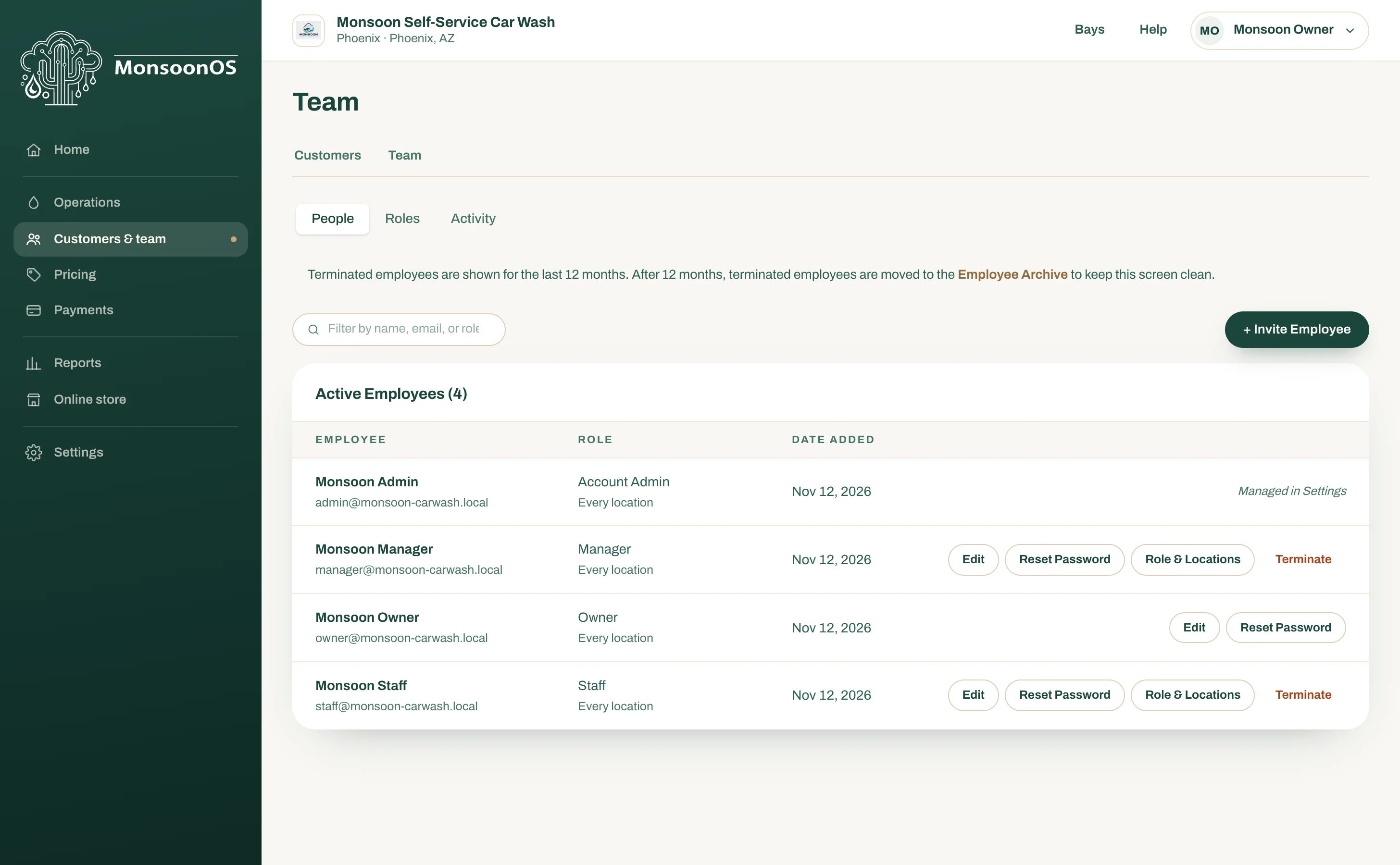
- The People, Roles and Activity tabs.
- + Invite Employee.
- Reset Password.
- Role & Locations.
- Terminate.
Invite someone
- On People, select + Invite Employee.
- Enter their First name and Last name, their Email and, if you like, their phone and address.
- Choose their Role. See Built-in roles for what each one can do.
- Under Locations, choose Every location or Only some locations. Owners always work at every location.
- Select Send Invite.
They get an email invitation and choose their own password when they accept. You never see or send their password.
Change someone's role or locations
- On People, find the person and select Role & Locations.
- Choose the new role or locations.
- Select Save changes. The message Role and locations saved. confirms it.
The change is written to Activity. In the phone app it takes effect the next time their session refreshes.
Reset someone's password
On their row, select Reset Password. They get an email with a link to choose a new one. Password reset email sent. confirms it went out.
Remove someone
- On their row, select Terminate.
- Confirm at Terminate?
Their access ends at once, including any session they have open. Their history stays, and they move to the Employee Archive. To bring them back later, open the archive and select Reactivate.
Rules MonsoonOS enforces
- You cannot give anyone more access than you have. A row marked Has more access than you is one you cannot change.
- You cannot change your own role.
- The last owner cannot be removed or demoted.
- Only an owner can make someone an owner.
- The account admin login that we set up for you is shown as Managed in Settings and is changed in Admin Settings, not here.