Terminal status reference
What each status and column on the MonsoonOS Terminals page means, with the fix for each problem state.
Every plan
- Plans
- Available on every MonsoonOS plan: Full Wash Platform and Rain Pay Terminals Only.
The Terminals page lists every Rain Pay terminal at a location. This page explains each column.
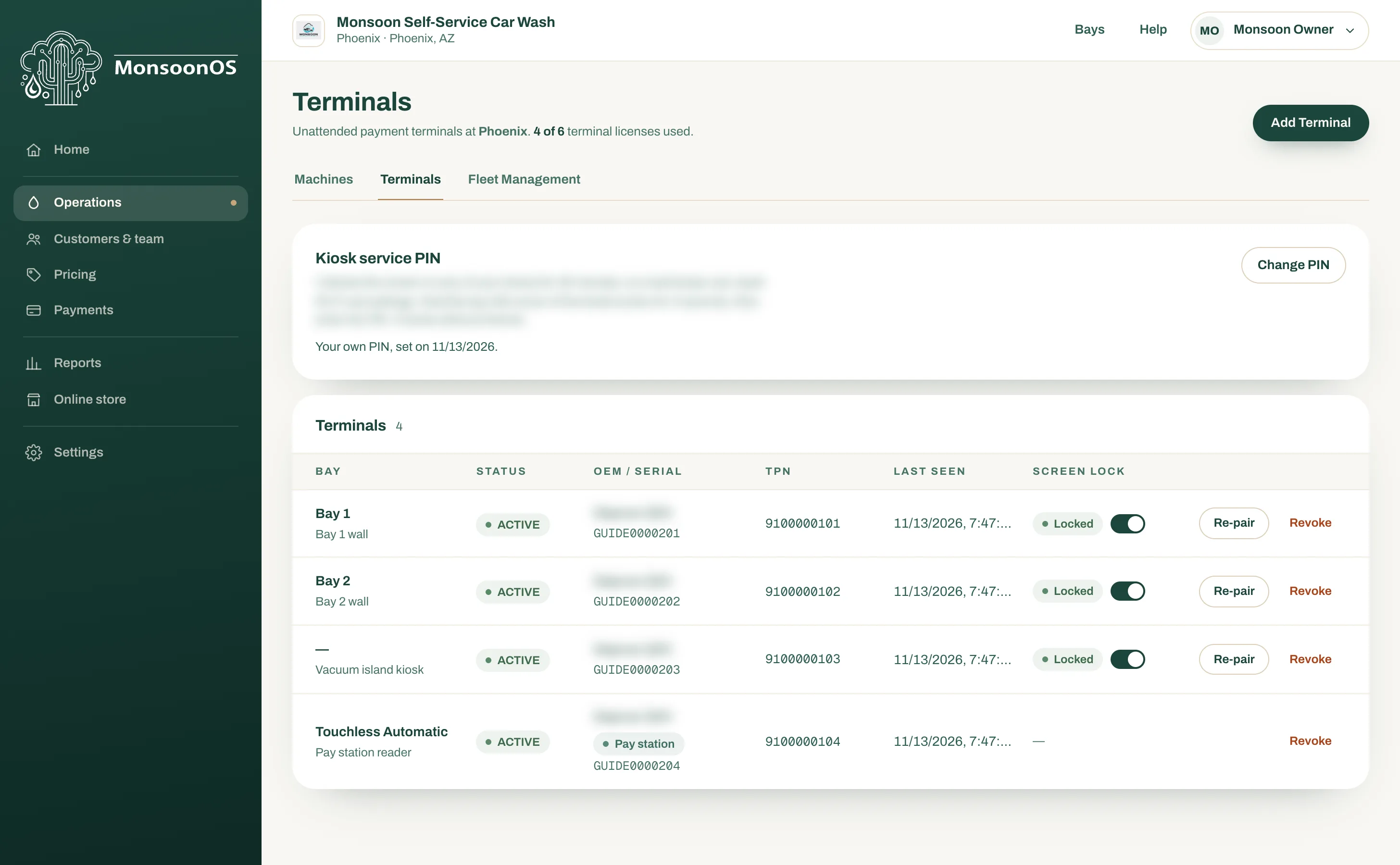
- Status: ACTIVE means paired and working.
- Bay: the bay a terminal serves. A dash means a shared kiosk.
- An MDB card reader carries a Pay station or Token machine tag.
- Screen lock: Locked is what you want.
- Re-pair and Revoke.
Columns
| Column | What it shows |
|---|---|
| Status | Where the terminal is in its life: see below. |
| Bay | The bay a Wash terminal serves, blank for a shared kiosk, or a Pay station or Token machine tag for an MDB card reader. |
| OEM / Serial | The terminal's model and serial number. |
| TPN | The card processing number assigned to the terminal. |
| Last seen | The last time the terminal checked in with MonsoonOS. |
| Screen lock | Experience terminals only: see Screen lock. |
| Actions | Re-pair and Revoke. |
Status
| Status | Meaning | What to do |
|---|---|---|
| ENROLLED | Added in the admin, waiting for its enrollment code to be typed on the terminal. | Type the code on the terminal. If the code expired, select Re-pair for a new one. |
| ACTIVE | Paired and working. | Nothing. |
| MAINTENANCE | Taken out of service for now. | Email support@cactuswashsystems.com if you did not expect it. |
| REVOKED | Switched off for good. It cannot take payments. | Add it again only if you want to use it. See Re-pair or replace a terminal. |
Last seen
An Experience terminal checks in every few minutes while it is on and online. If Last seen is more than an hour old:
- Check the terminal has power and its screen is on.
- Check its network: Wi-Fi in range, or its network cable plugged in.
- Restart the terminal.
If it still does not check in, email support@cactuswashsystems.com with its serial number.