Track redemptions
See how often each MonsoonOS promotion was used, from the counts on the Promotions page to the Redemptions ledger that lists every use with its date, customer and amount.
- Plans
- Available on every MonsoonOS plan: Full Wash Platform and Rain Pay Terminals Only.
- Who can do this:
- On Full Wash, anyone whose role includes "See promotions" (Owner, Manager and Staff by default). On Terminals Only, your admin login.
Every time a promotion is used, MonsoonOS records a redemption. You can see the totals at a glance or open the full list.
The Promotions page
Go to Pricing › Promotions. The Snapshot at the top shows:
| Figure | What it counts |
|---|---|
| Active promotions | Promotions that are turned on, not paused. |
| Free washes outstanding | Free washes given to customer accounts and not used yet (Full Wash). |
| Credit liability | Account credit given to customers and not spent yet (Full Wash). |
| Redemptions · 30 days | Uses of any promotion in the last 30 days. |
On the Full Wash Platform, Recent activity under it lists the last five changes to customers' free washes and account credits, such as one given or used.
Rain Pay Terminals Only has no customer accounts, so its Snapshot shows Active promotions and Redemptions · 30 days only, with no Recent activity.
Uses of one promotion
Select Manage promotions. The Used column shows how many times each promotion was used. Select a promotion's name for Promotion details, where Times used shows the uses against the cap, for example "12 / 100", or the uses with "(no cap)".
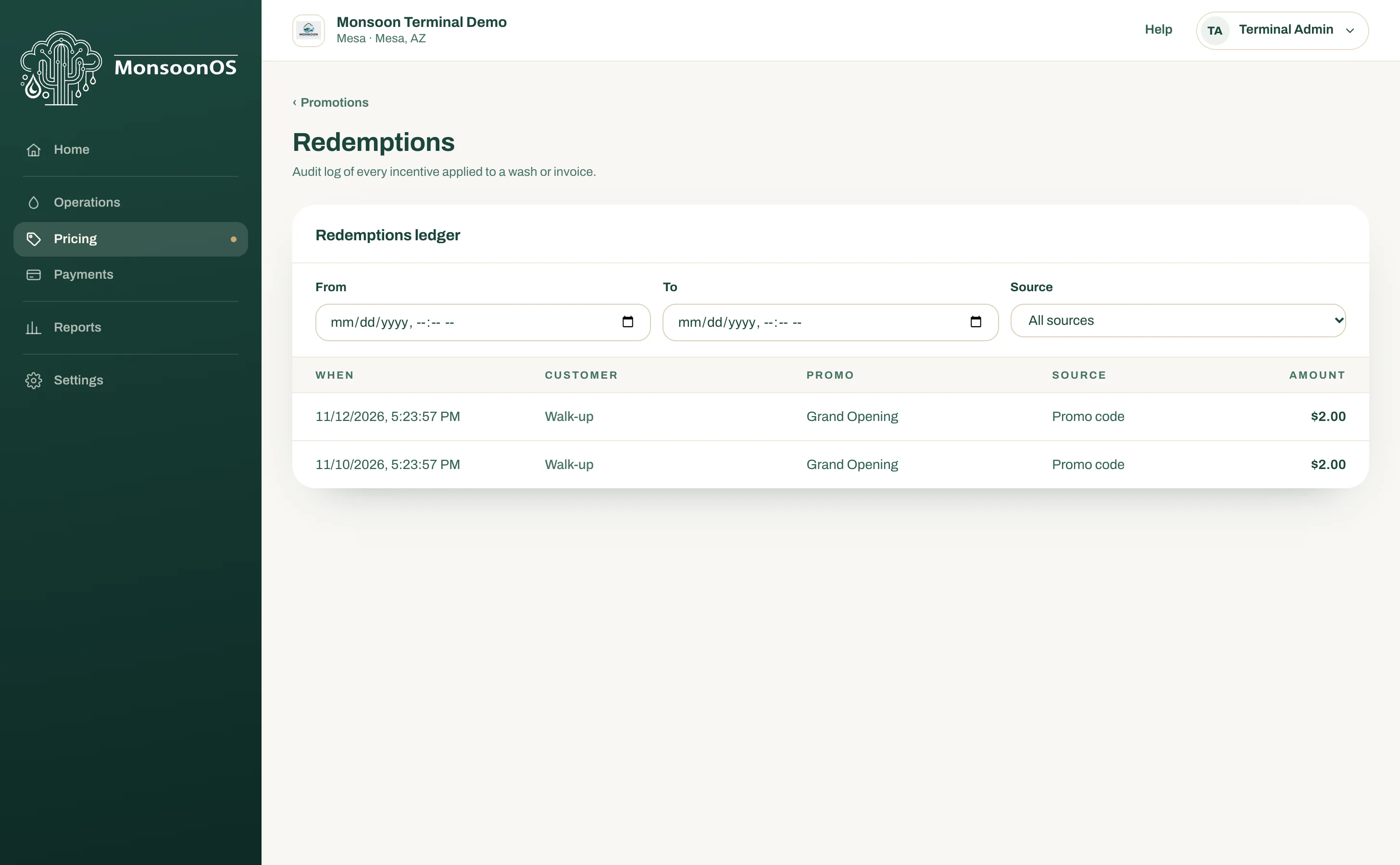
The Redemptions ledger
- On the Promotions page, select Redemptions ledger.
- Optionally narrow the list:
- From and To: a date and time range.
- Source: All sources, Promo code, Free wash, Account credit, Automatic promotion or Given by staff. On Terminals Only, the choices are All sources and Promo code.
- Read the list, newest first:
When: the date and time of the use.
Customer: the customer's name or email. A use at a Rain Pay Experience terminal shows Walk-up, because a walk-up customer has no account.
Promo: the promotion's name.
Source: how it was applied, such as Promo code for a code typed at the terminal or in the app.
Amount: the value taken off or used.
- Select Load more at the bottom for older uses.
On Rain Pay Terminals Only, every use comes from a code at the terminal, so every row shows Walk-up.
Related
- Create a promotion
- Reports overview, for your sales in the same period