Register an MDB card reader
Register a Rain Pay MDB terminal on the pay station or token machine it is installed in, so MonsoonOS records its card sales.
Every planMDB card reader
- Plans
- Available on every MonsoonOS plan: Full Wash Platform and Rain Pay Terminals Only.
- Needs
- You need a Rain Pay MDB terminal (shown in the admin as an MDB card reader).
- Who can do this:
- On Full Wash, anyone whose role includes "Pair card terminals and kiosks" (Owner by default). On Terminals Only, your admin login.
A Rain Pay MDB terminal is a card reader installed inside the pay station of an in-bay automatic, or on a token machine. The equipment keeps running the sale; MonsoonOS records each card payment. Registering the reader tells MonsoonOS which machine it is on.
Before you start
- The reader installed and powered in the pay station or token machine.
- Its serial number, from the label on the reader.
- The pay station's in-bay automatic, or the token machine, already added in Machines.
Register the reader
- Go to Operations › Terminals. With several locations, choose the location from Location at the top of the page.
- Select Add Terminal.
- For Device type, choose MDB card reader (pay station or token machine).
- Enter the Serial number.
- Choose the Terminal TPN.
- Under Machine, choose the machine the reader is on. In-bay automatic pay stations are listed in the first group and token machines under Token machines.
- Leave the matching box ticked:
- On a pay station: Match walk-up sales to wash packages by price (recommended).
- On a token machine: Match card sales to token packages by price (recommended). See How MDB sales show up for what this does.
- Select Register reader.
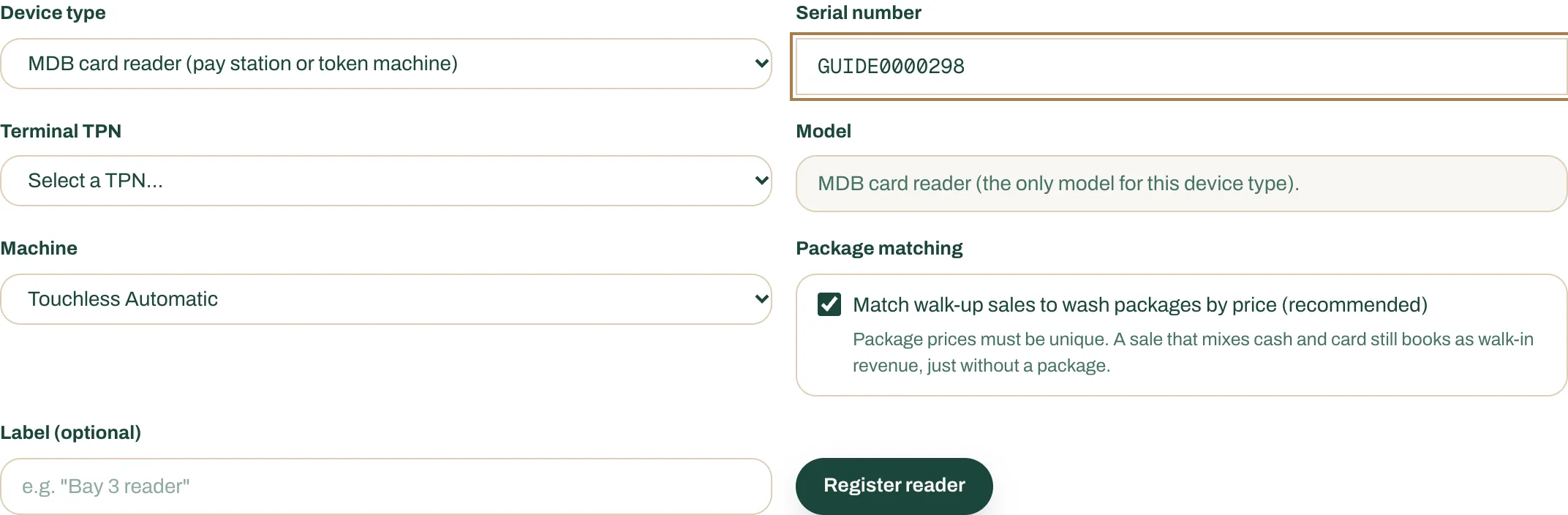
- Device type: MDB card reader (pay station or token machine).
- The reader's Serial number.
- A Terminal TPN.
- The Machine the reader is installed in.
- Package matching, left ticked.
- Register reader.
A green box confirms the reader is registered on that machine. There is no code to type on the reader.
Connect DejaUP
The reader sends each sale to MonsoonOS through DejaUP, the app it runs. Until DejaUP is connected, no sales arrive. Do this once for your whole business: Connect DejaUP.
The Terminals page shows these readers with a Pay station or Token machine tag.